RESPONSIVE MCP SERVER
Make every AI assistant a place for response work you can trust
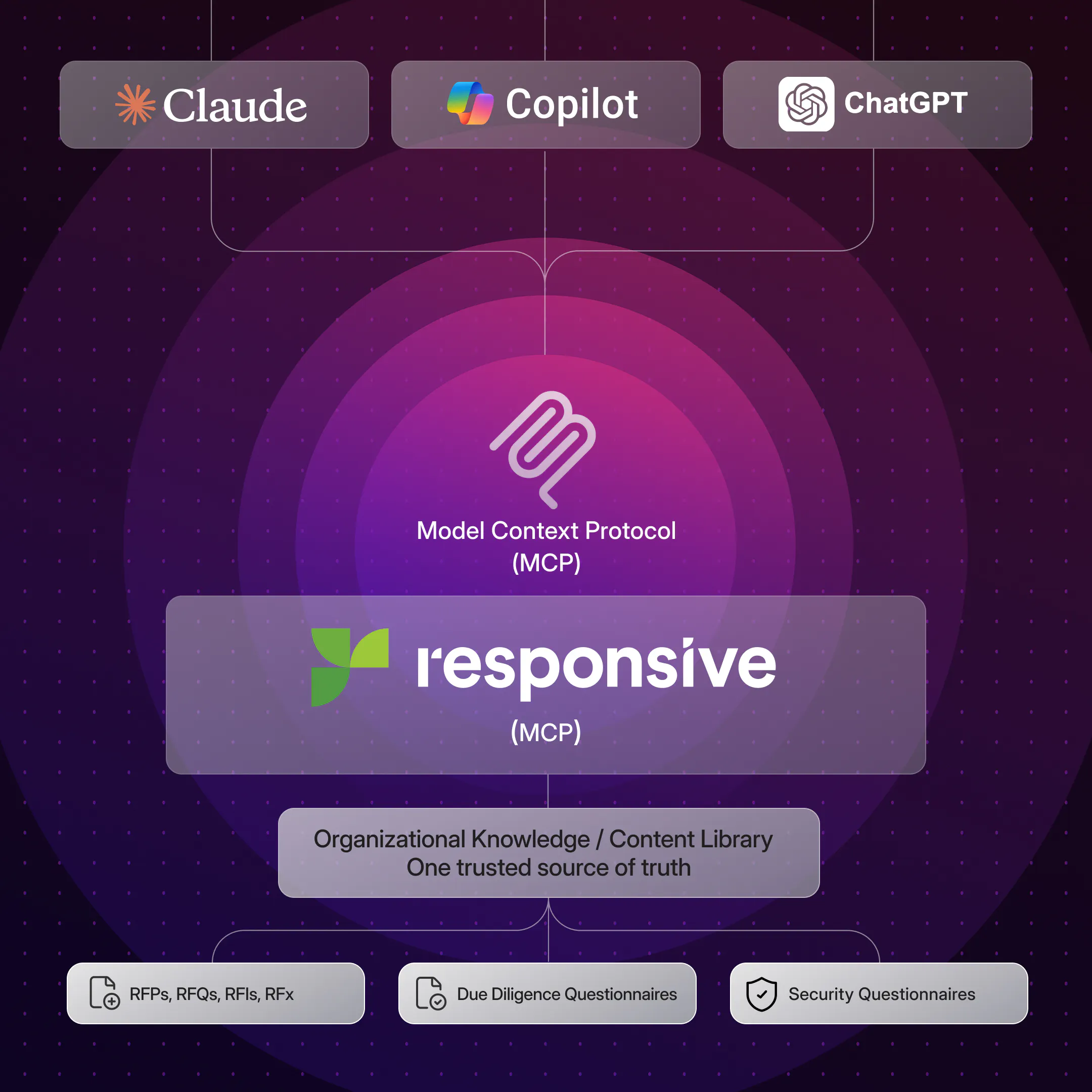
Connect ChatGPT, Claude, and Microsoft Copilot to approved knowledge and live project context through the Responsive MCP Server. Teams can move response workflows forward in the AI assistants they already use to draft and review faster.
Work two ways between your
AI assistant and Responsive
The Responsive MCP Server brings approved knowledge into AI conversations so proposal teams and SMEs can move response work forward faster in their preferred AI assistant. Draft and save responses to project questions, add comments, complete reviews, and take supported actions, while Responsive remains the system of record.
Responsive on ChatGPT, Claude, Microsoft Copilot:
• Brings trusted, approved knowledge directly into AI conversations
• Grounds outputs in real company data, not generic training data
• Enables teams to move faster while keeping compliance and messaging standards
• Turns AI assistants into reliable, enterprise-ready solutions
Keep response projects moving from any AI assistant

Proposal managers see what needs attention
Create and monitor response projects, spot unanswered or unreviewed questions, and coordinate contributors across RFPs, proposals, DDQs, and security questionnaires to keep workflows moving in ChatGPT, Claude, and Microsoft Copilot.

SMEs contribute where they already work
SMEs can join proposal workflows in the AI assistant they already use: review assigned questions, use approved supporting information, add their expertise to responses, and collaborate with proposal teams, without adding another system to manage.

Content owners capture answers for future responses
When an answer is ready to reuse, save it to your Content Library from ChatGPT, Claude, or Microsoft Copilot, update its metadata, and route it through approval workflows so it can support the next response.

Field teams find approved answers where they work
Use approved Responsive knowledge and supporting context in the AI assistants you already use to prepare for meetings, answer customer questions, and respond to requests.

Customer-facing teams turn trusted knowledge into customer-ready work
Adapt approved knowledge in your AI assistant to create meeting briefs, follow-up emails, account summaries, presentation narratives, and customer responses. The source content stays in Responsive.
Proposal managers see what needs attention
Create and monitor response projects, spot unanswered or unreviewed questions, and coordinate contributors across RFPs, proposals, DDQs, and security questionnaires to keep workflows moving in ChatGPT, Claude, and Microsoft Copilot.
SMEs contribute where they already work
SMEs can join proposal workflows in the AI assistant they already use: review assigned questions, use approved supporting information, add their expertise to responses, and collaborate with proposal teams, without adding another system to manage.
Content owners capture answers for future responses
When an answer is ready to reuse, save it to your Content Library from ChatGPT, Claude, or Microsoft Copilot, update its metadata, and route it through approval workflows so it can support the next response.
Field teams find approved answers where they work
Use approved Responsive knowledge and supporting context in the AI assistants you already use to prepare for meetings, answer customer questions, and respond to requests.
Customer-facing teams turn trusted knowledge into customer-ready work
Adapt approved knowledge in your AI assistant to create meeting briefs, follow-up emails, account summaries, presentation narratives, and customer responses. The source content stays in Responsive.
Bring Responsive into ChatGPT, Microsoft Copilot, and Claude
Every capability below works in all three. Available actions vary by AI environment and user permissions.
Use the Responsive MCP Server in your preferred AI tools
The Responsive MCP Server gives your team the same approved answers, live project context, and permissions in whichever AI assistant they prefer.
What teams can do in any supported LLM:
- Retrieve approved, cited answers from the Content Library
- Check project status, due dates, and open questions
- Draft and refine responses to assigned questions
- Add comments and complete reviews
- Save new content back to Responsive for approval
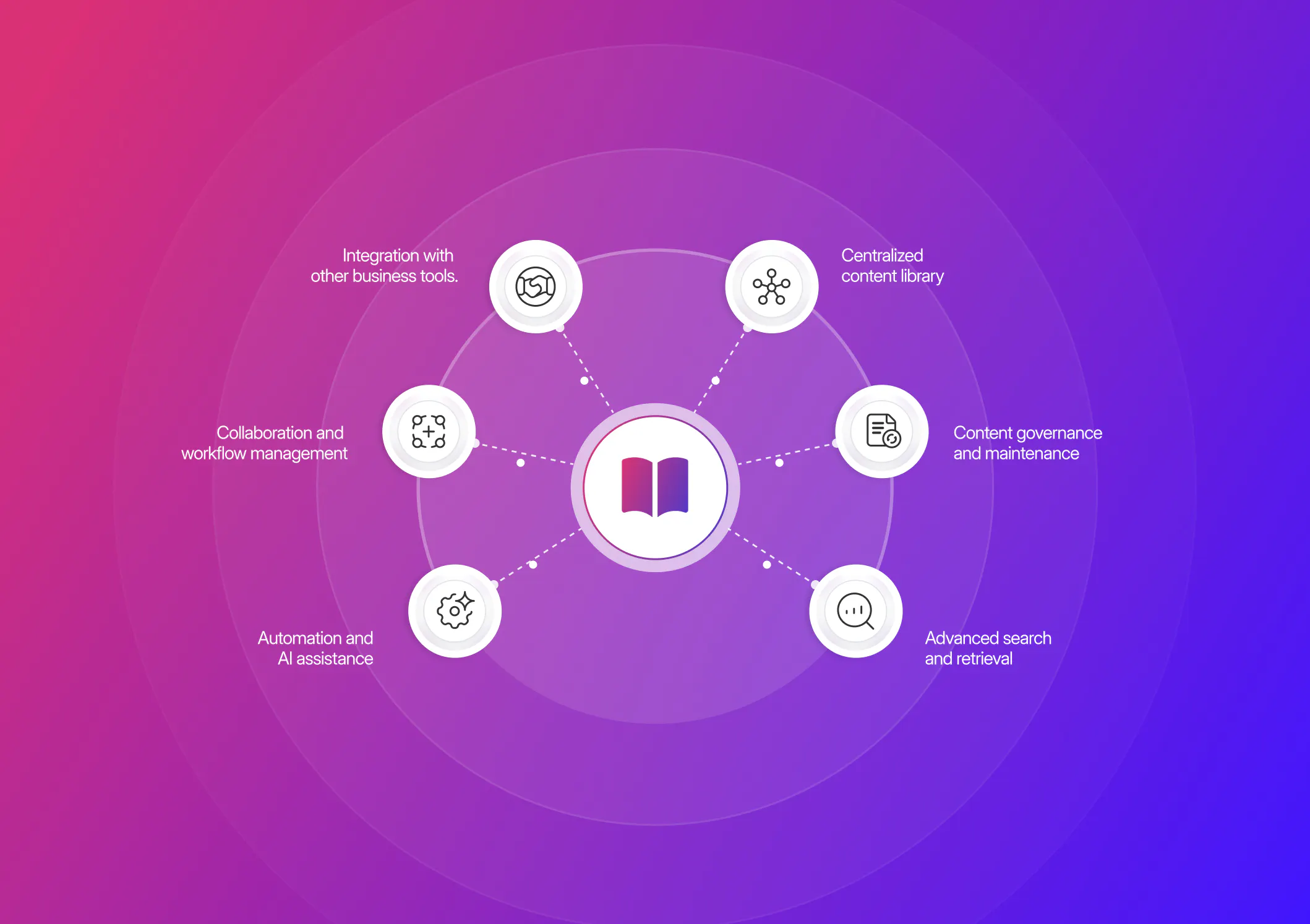
Answer buyer questions with sources attached
- Get approved answers to security, AI, and product questions, with citations back to the Responsive Content Library.
- Respond the same day without waiting on an SME or digging through old proposals.
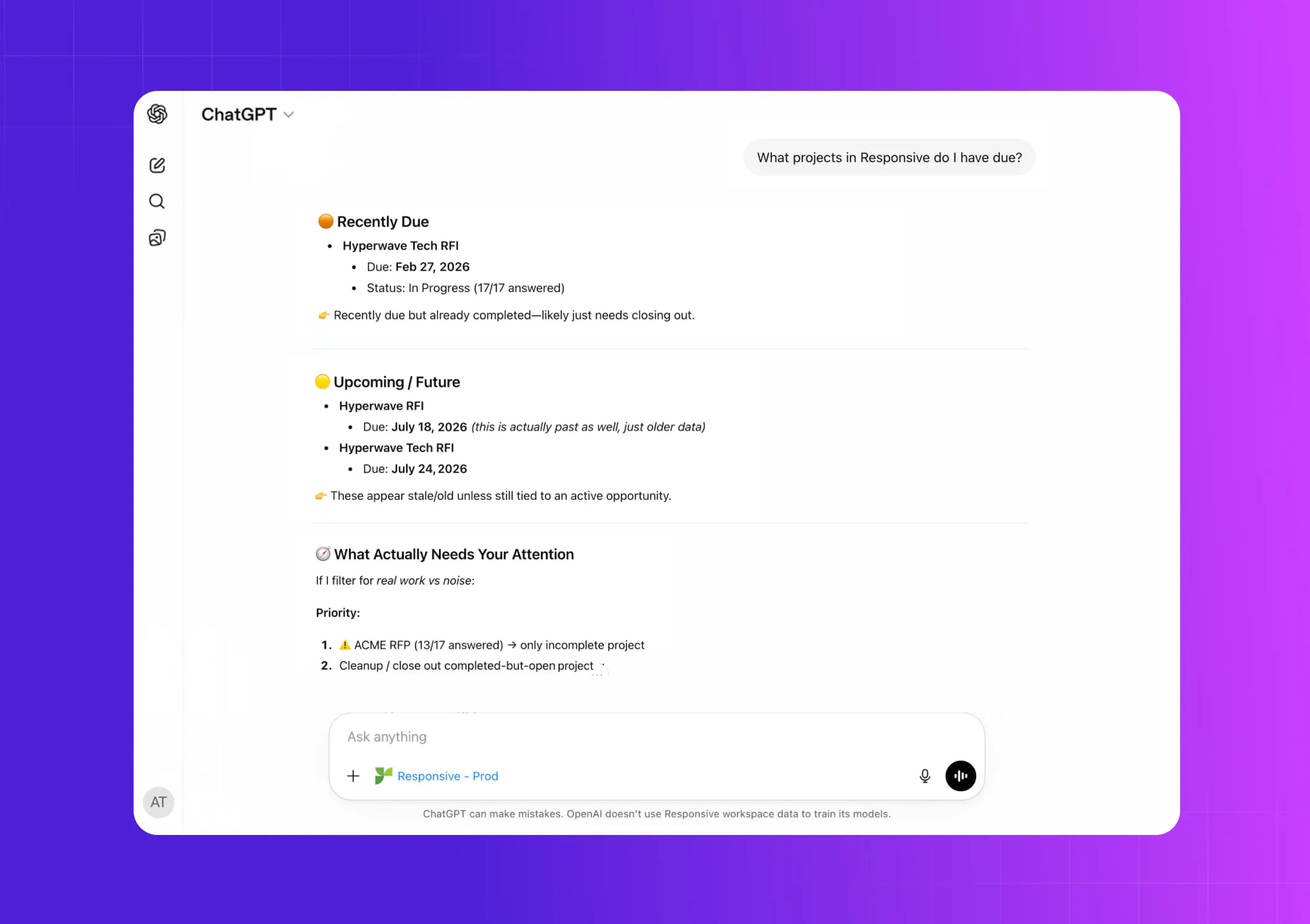
See where every response stands
- Ask which projects you’re on, what’s due, and how many questions are still open, pulled live from Responsive.
- Spot gaps early and bring in the right contributors before deadlines slip.
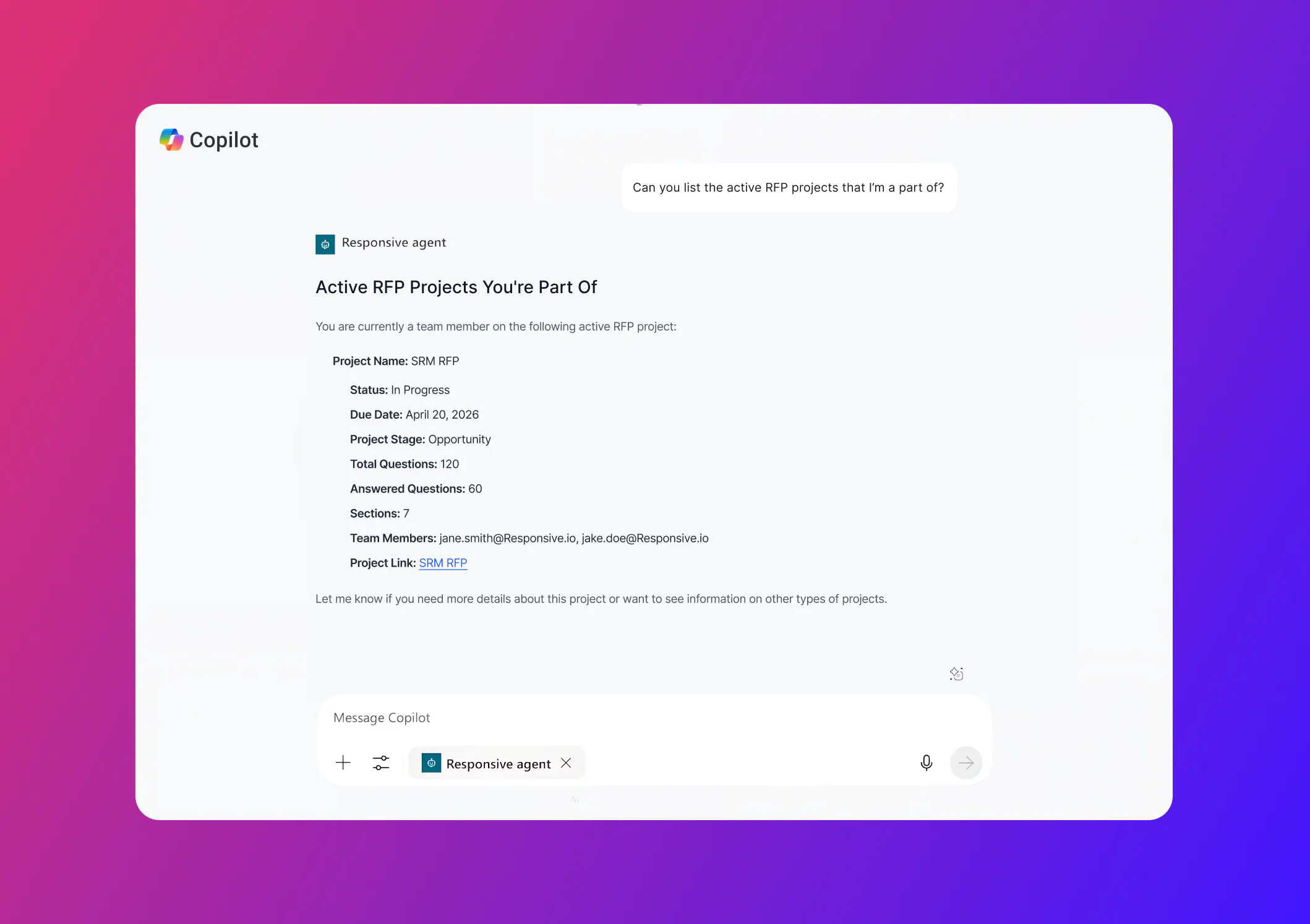
Draft high-stakes sections from approved content
- Write and refine responses to assigned questions, grounded in approved Responsive content and project context.
- Send finished work back to Responsive for review and reuse.
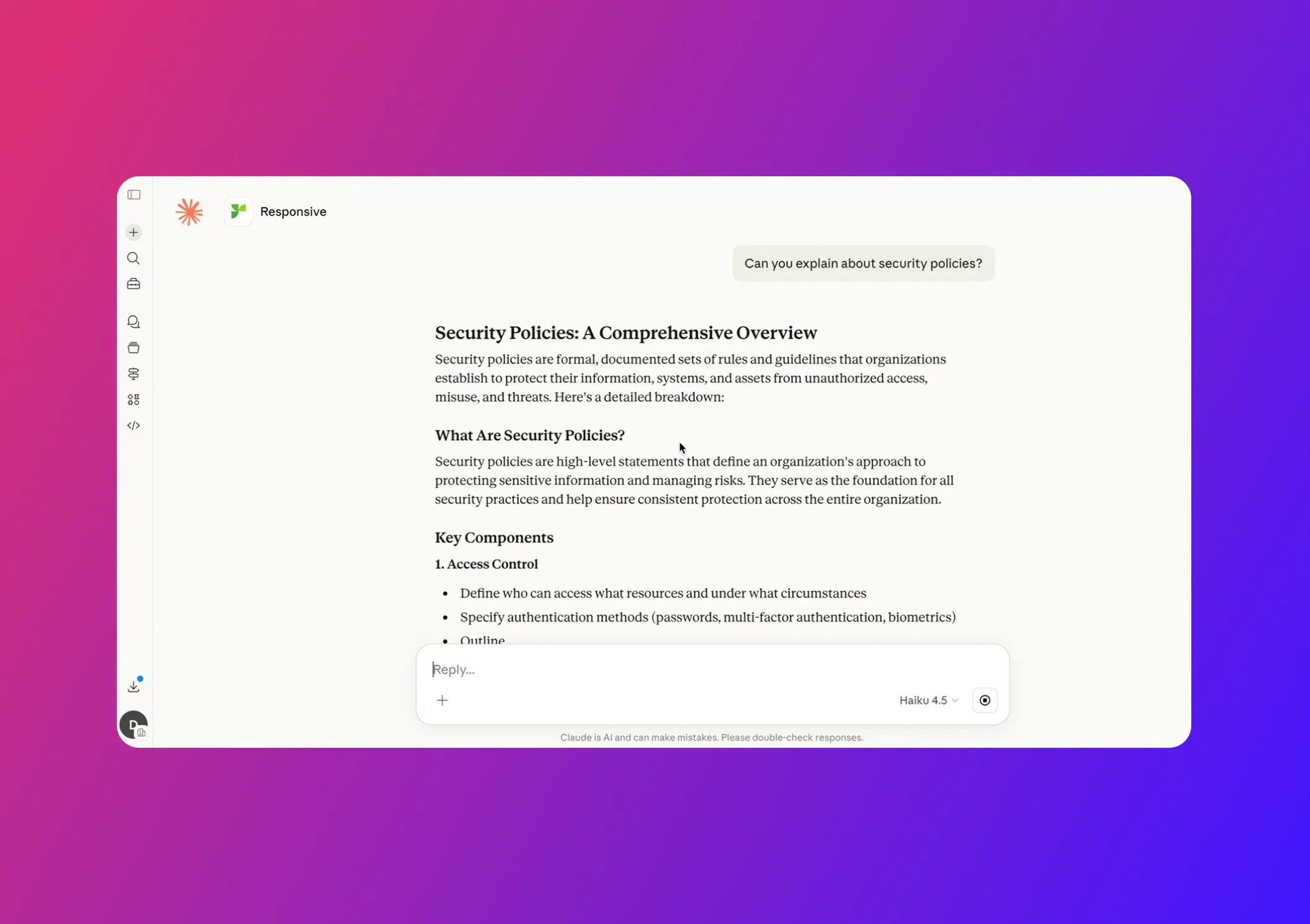
Use the Responsive MCP Server in your preferred AI tools
The Responsive MCP Server gives your team the same approved answers, live project context, and permissions in whichever AI assistant they prefer.
What teams can do in any supported LLM:
- Retrieve approved, cited answers from the Content Library
- Check project status, due dates, and open questions
- Draft and refine responses to assigned questions
- Add comments and complete reviews
- Save new content back to Responsive for approval
Answer buyer questions with sources attached
- Get approved answers to security, AI, and product questions, with citations back to the Responsive Content Library.
- Respond the same day without waiting on an SME or digging through old proposals.
See where every response stands
- Ask which projects you’re on, what’s due, and how many questions are still open, pulled live from Responsive.
- Spot gaps early and bring in the right contributors before deadlines slip.
Draft high-stakes sections from approved content
- Write and refine responses to assigned questions, grounded in approved Responsive content and project context.
- Send finished work back to Responsive for review and reuse.
Unlocking knowledge to drive profitable growth








Keep trust and control connected to every action
Responsive connects AI assistants to approved knowledge, live project context, existing permissions, and review processes. Teams gain the speed and flexibility of their preferred LLM while maintaining the accountability, compliance, and content quality that customer-facing responses require.

Ground AI assistants in approved knowledge
Connect ChatGPT, Claude, and Microsoft Copilot to approved knowledge and live project context so teams can work from dependable information as they draft and refine responses.

Preserve permissions and review processes
Keep AI assistants connected to existing permissions and structured review to help teams maintain accuracy and oversight as response workflows move forward.

Keep response work connected to Responsive
Teams can draft and review in ChatGPT, Claude, and Microsoft Copilot, while Responsive remains the system of record for response projects and approved knowledge.

Maintain accountability for customer-facing responses
Bring the speed and flexibility of ChatGPT, Claude, and Microsoft Copilot to customer-facing work while maintaining accountability, compliance, and content quality.