Response management looks different from what it did two years ago. Proposal managers tackling RFPs, security teams fielding DDQs, and analysts handling assessments are no longer working in the same disconnected silos they once did.
Your team spends significant time working with AI assistants. Drafting cover letters in ChatGPT, summarizing discovery calls in Claude, and checking policy questions in Copilot. These assistants have become the working surface for knowledge work, just as email, Teams, and Slack have become the working surface for communication.
Response work has been one of the holdouts, partly because it depends on governed content, audit trails, and approved answers that can't be hallucinated, especially in industries like healthcare and financial services, where answers often need to be verbatim.
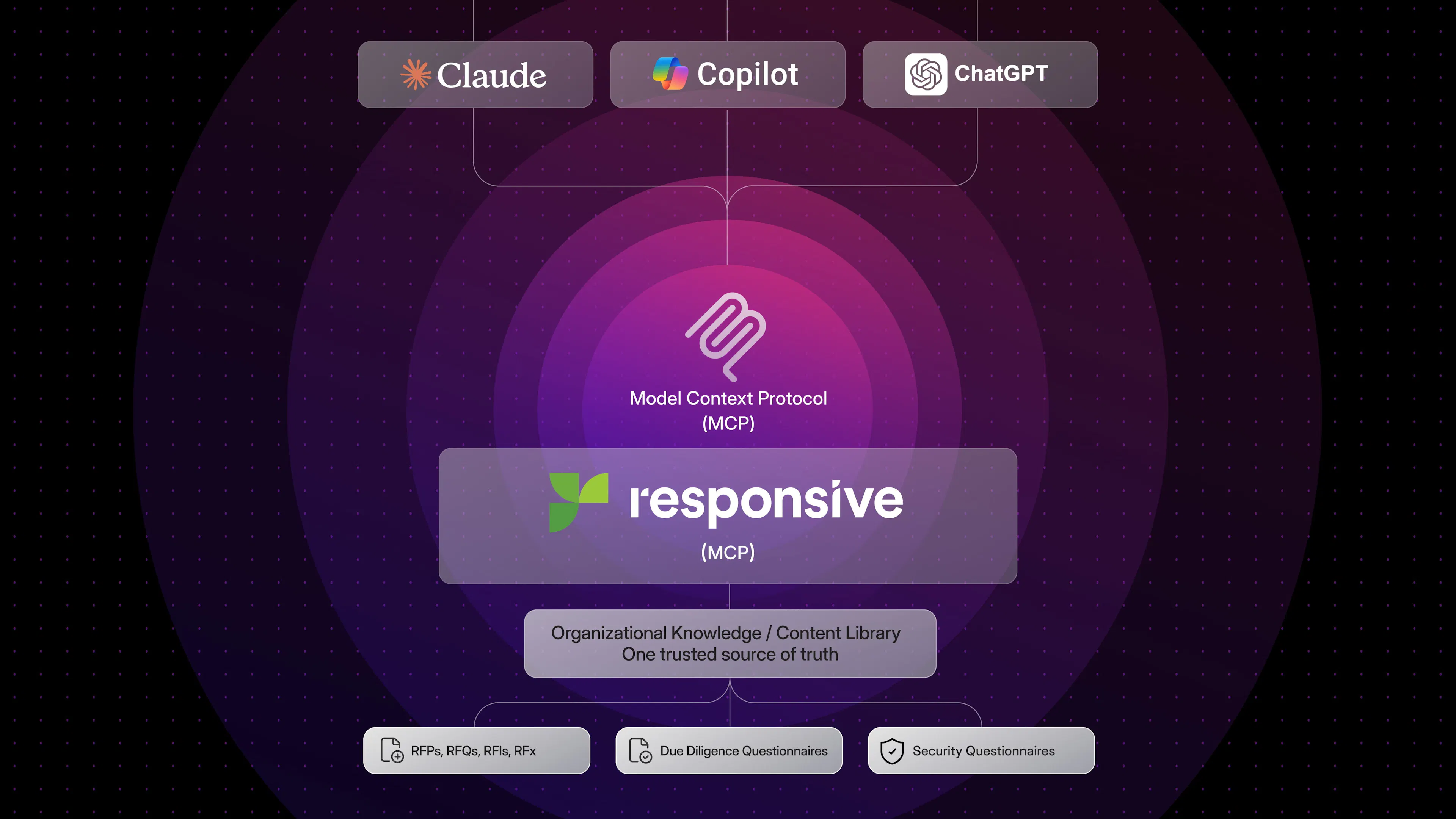
Responsive's MCP server addresses that. For those unfamiliar with the term “MCP server,” it’s a secure bridge that lets AI tools connect to trusted business systems. For Responsive customers, it means ChatGPT, Claude, Microsoft Copilot, and internal AI apps can pull from approved Responsive content instead of guessing, searching scattered files, or relying on generic answers.
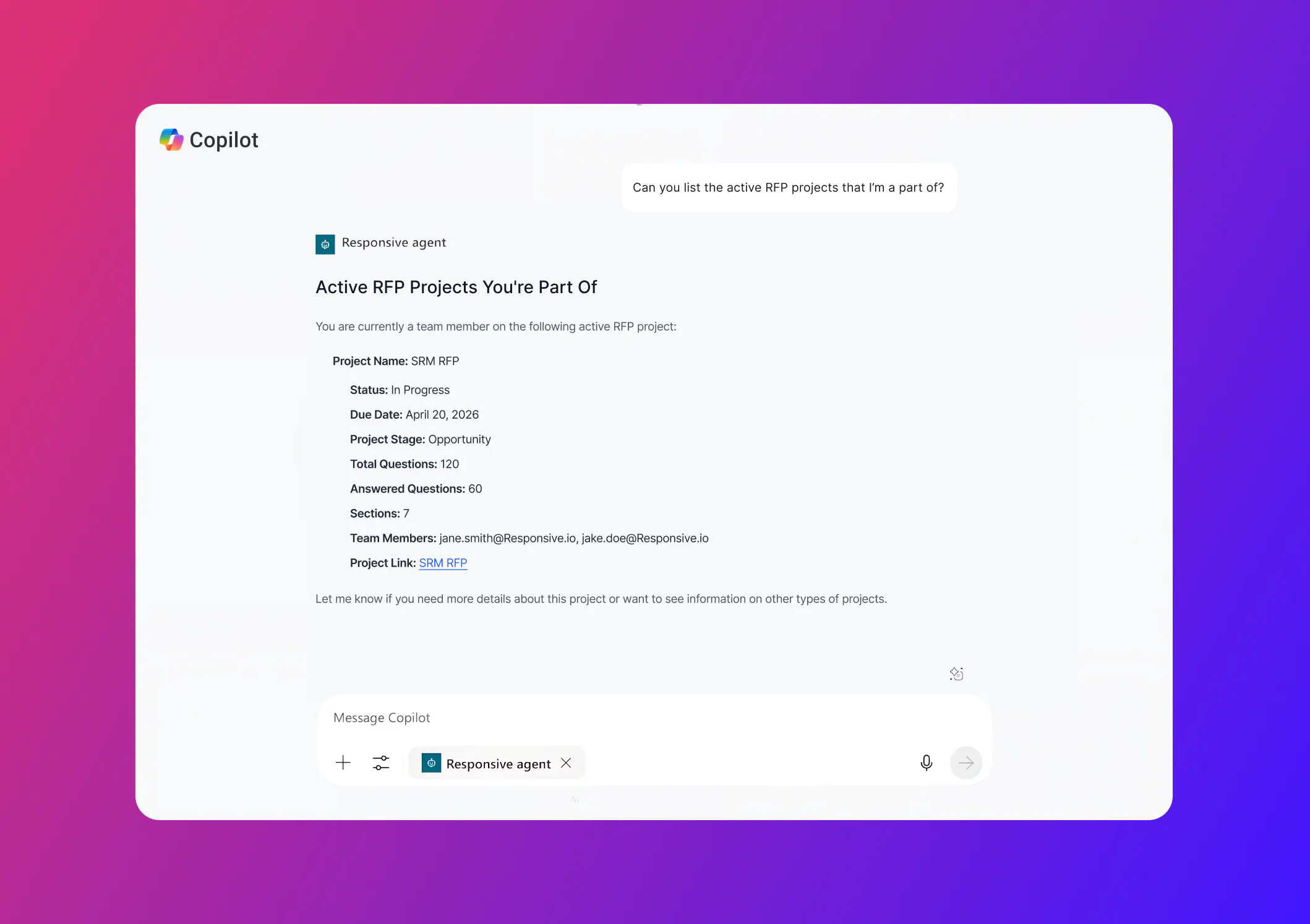
These integrations have been live for several months, and your team can already use them from ChatGPT, Claude, Microsoft Copilot, and the internal AI applications you build. Drafts pulled through it come from the same governed content and approved answers you rely on inside Responsive.
We've been building a broader set of AI developer tools, and the MCP server is one part of that collection. In this blog, we’ll focus on the MCP server itself: what it does, why it's built the way it is, and where it fits.
MCP servers are highly technical, and discussions can quickly derail into a string of tech jargon. Keep reading for a high-level 'what you need to know' look at how these AI assistant integrations help make your day-to-day job of responding and managing bids and proposals easier, using the tools you and your teams are already familiar with.
What the MCP server actually does
Picture a proposal manager working on an RFP, and it’s due Friday. Short timeline, even shorter notice. They're already in Claude, summarizing notes from last week's discovery call. They ask, "What's still unanswered on the RFP?" Claude connects with Responsive, returns the open questions, and organizes them by section.
The proposal manager picks the security section. "Draft responses for these, grounded in our approved content." Claude calls back to Responsive, pulls from the approved library, and produces drafts that look just like the ones they'd get inside Responsive. They review, push edits, and move on.
No tab switching. No copy-paste. No need to leave whatever AI assistant they're already in. Regardless of which assistant you use, each can discover which projects belong to the user, see what's still open or assigned, search the approved library, and generate drafts grounded in that content.
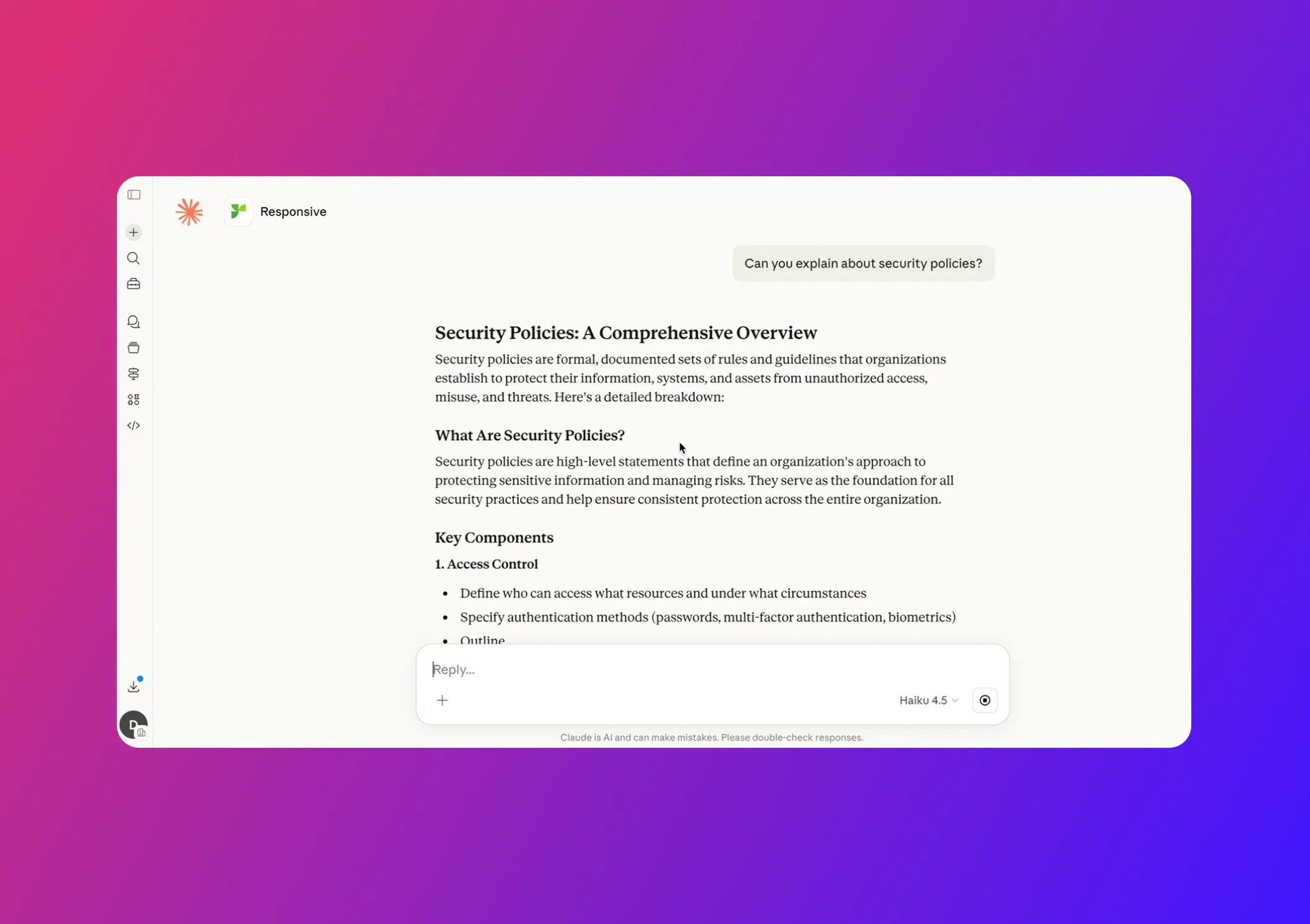
Keeping your data privacy and security in mind, Responsive’s MCP server integration allows users to only access the specific Responsive content, projects, and sources they are already authorized to view, fully enforcing existing permissions and security controls. Data is retrieved in real time (not stored in the AI tool) and is not used to train external models, ensuring sensitive information remains governed and protected.
In practice, this connection increases security by grounding AI outputs in approved, traceable knowledge rather than relying on ungoverned copy-paste into generic AI tools.
What makes it usable
The MCP server has three properties that make it usable for real response work, not just convenient access.
Grounded knowledge
Drafts pulled through MCP come from the same approved library that powers responses inside the product. Nothing gets generated from thin air. Your team doesn't have to choose between using AI in their preferred surface and using vetted answers. With the MCP server, you get both supplied through near-instant answers.
User-based permissions
Permissions and identity follow the user. The MCP server uses user-level permissions, so what someone can see and do through Claude or ChatGPT matches what they can see and do inside Responsive. A sales engineer can't accidentally pull content they aren't authorized to access. Admin and contributor views remain distinct, as they should.
Clear citations and objective scoring
Responsive’s TRACE Score reliability scoring stays attached to every answer. Drafts generated through the MCP server integration carry the same scoring and citation behavior as drafts generated inside the product. Reviewers can tell where an answer came from, how confident the system is, and which library entries grounded it.
Reachable where your team works
Your team’s AI tools will keep changing. Today, some people use ChatGPT. Others prefer Claude or Microsoft Copilot. Some teams may use internal AI apps built for sales, security, legal, or other specialized work. What matters is that your approved Responsive content can follow them there.
With Responsive’s MCP server, teams can access trusted answers from the AI tools they already use, instead of switching systems, copying content between apps, or relying on unapproved information. As new AI tools become part of your workflow, Responsive can remain a governed source of knowledge behind them.
That gives your teams more flexibility without sacrificing control. They can work in the AI environment that makes sense for the task, while still drawing from the same approved content, source-backed answers, and governance you rely on inside Responsive.
We’re also working on additional partner integrations and will name specific ones as they ship.
What's live, and what to do with it
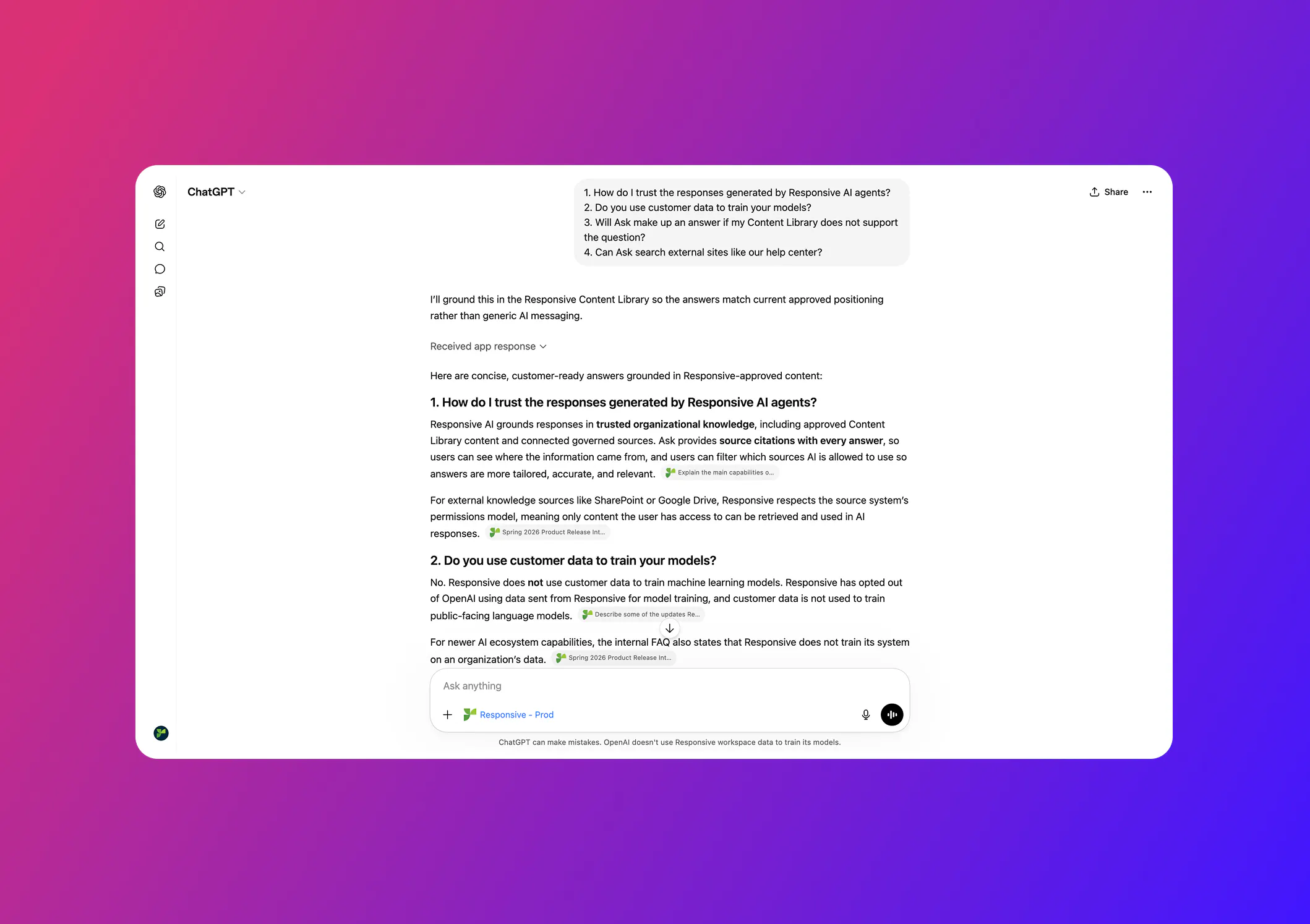
The ChatGPT app is live in the OpenAI marketplace. Connection instructions for Claude and Microsoft Copilot are published in our help center. Both take just a few minutes to set up, and your existing Responsive permissions apply automatically.
Two prompts are worth trying first. Ask your assistant: "What's still open on [your active RFP]?" Then: "Draft responses for the [section], grounded in our approved content." That's the workflow loop the MCP was designed for.
If you're building internal AI applications and have been wondering how to give them access to your response knowledge and processes, the same MCP endpoint is available. Check out our API documentation for more information. Customers are connecting it to in-house copilots and analytics surfaces today. Talk to your account team about access patterns, governance setup, and other features in the AI developer toolkit.
Responsive should show up wherever your team is working and building. The MCP server is one of the ways we're doing that, and there's more to come. Stay tuned.

AJ Sunder
Co-Founder and CTO @ Responsive
A highly experienced Information Security Analyst, Sunder oversees development of advanced SaaS technologies and AI to improve the response process and increase business close rates.